




If you are planning a Salla Zid to Shopify migration and wondering whether you will lose your order history, your Google rankings, or your Arabic product content in the process, you are asking exactly the right questions. I have worked through this migration path with Saudi merchants multiple times, and the honest answer is: you can preserve almost everything – but only if you plan the move before you touch a single setting.
Salla and Zid are excellent platforms for launching a store in the Kingdom. They handle Arabic content natively, integrate Saudi payment methods out of the box, and keep VAT/ZATCA compliance relatively simple. Shopify, on the other hand, gives you a global ecosystem of apps, deeper customization, and a development community that scales with you. The question is never whether to migrate – it is how to migrate without breaking the things that are already working.
This guide covers every stage of the process: pre-migration audit, data transfer, Arabic and RTL considerations, payments, shipping carriers, domain changes, 301 redirects, SEO preservation, analytics continuity, and post-launch testing. Budget figures are in SAR throughout so you can plan realistically.
Key Takeaways Before You Start
- Map every existing URL to its new Shopify equivalent before launch day – this single step protects your SEO rankings.
- Plan for Shopify’s RTL theme support to vary by theme – do not assume it works without testing.
- Orders from Salla or Zid do not migrate automatically – you need a tool or developer to import them.
- Salla Pay and Zid’s COD flow do not transfer to Shopify – you must set up Shopify Payments (where available) or a local gateway from scratch.
- Notify customers via WhatsApp broadcast or SMS, not just email, because that is how Saudi shoppers actually communicate.

Phase 1: Pre-Migration Audit
Before writing a single line of code or clicking any export button, spend time documenting what you currently have. Open a spreadsheet and list every product, variant, collection, customer record, and order. This is not optional – it becomes your verification checklist after launch.
Crawl your Salla or Zid store using Screaming Frog SEO Spider (licence approximately SAR 750 per year, with a free tier for up to 500 URLs). Export every URL, page title, meta description, H1, and canonical tag. This file is your SEO baseline. If a URL exists in this file and disappears after migration without a redirect, you will lose whatever ranking that page holds.
At the same time, document your current Google Search Console performance. Screenshot or export your top 20 landing pages by clicks and impressions. Note which product or collection URLs are driving the most organic traffic. These pages need the most careful redirect treatment.
What to Audit Before You Begin
- Total product count, variant count, and SKU list
- Customer records (name, email, phone, address, tags)
- Historical orders (number, status, line items, fulfillment data)
- Active discount codes and gift cards
- All blog posts and static pages (About, Contact, Policy pages)
- Current URL structure for products, collections, and blog posts
- Installed apps or integrations (loyalty programs, review widgets, email tools)
- Current payment gateways and shipping zone configurations
Phase 2: Choosing Your Shopify Plan and Setting Up the Store
Shopify offers three main plans relevant to Saudi merchants migrating from Salla or Zid. The Basic plan costs approximately SAR 112 per month (billed annually). The Shopify plan runs around SAR 305 per month. Advanced costs around SAR 1,150 per month. For most SMBs moving from Salla or Zid, the Basic or Shopify plan is sufficient at launch – you can upgrade after you have confirmed the migration is stable.
Start your Shopify trial before touching your live Salla or Zid store. Build and test the entire new store in parallel. Only cut over to the new domain when everything has been verified. This parallel build approach means your existing customers experience zero downtime.
When choosing a theme, check RTL support explicitly. Not every Shopify theme handles Arabic text correctly. Look for themes that list “RTL support” in their feature set, such as Aasaan, Shaam, or custom themes built for MENA markets. If your chosen theme does not include RTL CSS, budget for a developer to add it – typically SAR 800 to SAR 2,000 depending on complexity.
Phase 3: Migrating Products, Variants, and Images
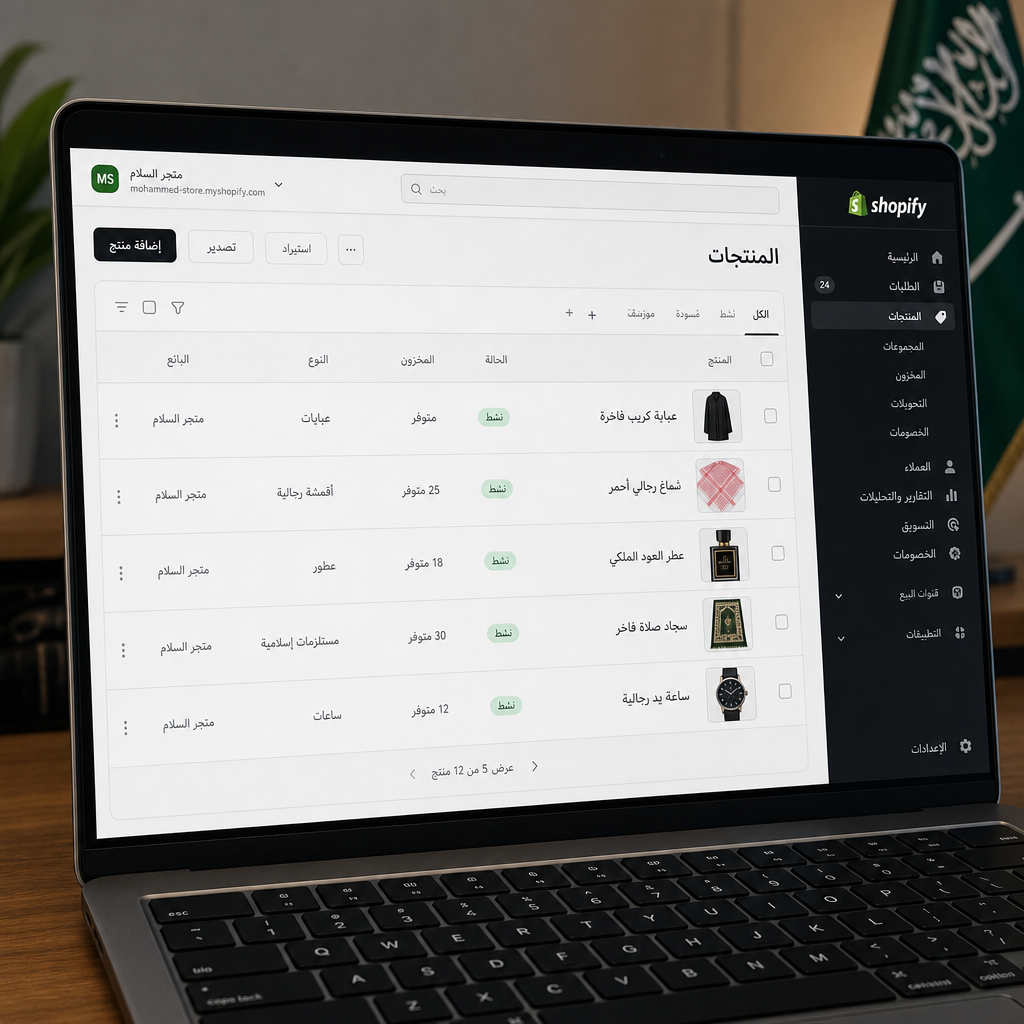
Shopify’s native import tool accepts a CSV file with a defined column structure. For stores with fewer than 200 products and simple variant setups, exporting from Salla or Zid to CSV and reformatting for Shopify is manageable manually. For anything larger, use Matrixify (previously known as Excelify), which costs approximately SAR 75 per month with a free trial available for smaller stores.
Matrixify handles bulk product imports with full variant support, metafield mapping, image URLs, and collection assignments in one pass. It also provides a detailed error log after each import run, so you can see exactly which rows failed and why. I have found this error log more reliable than trying to spot-check hundreds of rows manually.
Arabic Content and RTL: What Actually Happens
Here is the part that most migration guides gloss over. Arabic product titles, descriptions, and metadata can be copy-pasted or imported into Shopify without character encoding issues. The content itself migrates cleanly. However, Shopify supports RTL at the platform level but theme RTL support varies – verify this before migrating or budget for RTL CSS work to ensure Arabic text renders correctly in your storefront, cart, and checkout.
Specifically, test: product title alignment, description paragraph direction, button labels, breadcrumbs, and the checkout page. The checkout is partially controlled by Shopify and partially by your theme – problems here directly affect conversion rate, so do not skip this test.
Image Migration Best Practices
- Download all product images from your Salla or Zid store before migrating – do not rely on external URLs remaining live.
- Rename image files to include the product name or SKU for future SEO benefit.
- Compress images with a tool like Squoosh or TinyPNG before uploading to Shopify to keep page load times fast.
- Verify that alt text from your old store is mapped into the Shopify import – Matrixify supports this.
Phase 4: Migrating Customer Records
Shopify accepts customer imports via CSV. The standard fields are: first name, last name, email, phone, address fields, and tags. Export this from Salla or Zid and map the columns to Shopify’s expected format.
One important note: you cannot migrate customer passwords. This is a security constraint across all platforms. After launch, Shopify will automatically send password reset emails to imported customers the first time they try to log in. This process is standard, but in Saudi Arabia, email open rates are lower than WhatsApp or SMS engagement. Supplement the automatic email with an Arabic WhatsApp broadcast via a tool like WhatsApp Business API or Zoko, and consider an SMS campaign through a gateway like Unifonic or Taqnyat – both of which have strong coverage across KSA. The message should be brief, in Arabic, and explain that customers need to set a new password to access their account on the new site.
Segment your customer list by purchase frequency before sending. High-value customers who have ordered three or more times deserve a more personal message – even a direct call from your customer service team if the account base is small enough to allow it.

Phase 5: Migrating Orders and Order History
This is the most technically complex part of a Salla Zid to Shopify migration. Shopify’s standard CSV import does not support historical orders. You have two options.
Option 1: Matrixify order import. Matrixify supports importing historical orders into Shopify with line items, customer associations, fulfillment status, and financial status. This works well for order histories up to a few thousand records and costs around SAR 75 per month as noted above.
Option 2: Custom API migration. For large order histories – typically above 5,000 orders – or for stores that need to migrate complex order data (bundles, custom attributes, loyalty point balances), hire a Shopify developer to build an API-based migration script. Freelance developer fees for this work in KSA typically range from SAR 1,500 to SAR 4,000 depending on order volume and data complexity. This is money worth spending if your order history is a core part of your customer service and return management workflow.
Regardless of which option you use, mark all imported historical orders as “archived” in Shopify. This prevents them from interfering with your active fulfillment queue while keeping them accessible for customer service lookups.
Phase 6: Payments, COD, and ZATCA Compliance
This is where merchants migrating from Salla or Zid often hit an unexpected gap. Salla Pay and Zid’s built-in COD flow do not transfer to Shopify. You must configure payment methods from scratch.
For Saudi merchants, the most commonly used payment options on Shopify are:
- Tap Payments – supports mada, Visa, Mastercard, Apple Pay, and SADAD, with direct Shopify integration.
- PayTabs – another KSA-friendly gateway with strong local support.
- Moyasar – widely used among Saudi e-commerce stores, supports mada and Apple Pay.
- Cash on Delivery (COD) – configure this as a manual payment method in Shopify’s payment settings. It requires no third-party integration but does need careful order tagging to manage your fulfillment workflow.
On VAT and ZATCA compliance: Shopify does not natively generate ZATCA-compliant e-invoices out of the box for the Saudi market. You will need an app or integration to handle this. ZATCA e-invoicing apps available on the Shopify App Store – such as those from local Saudi ISV partners – generate the required XML-format invoices and QR codes. Budget for this integration early; leaving it until after launch creates a compliance gap. Saudi VAT is currently 15%, and all B2C transactions above SAR 1,000 require a compliant tax invoice under Phase 2 of ZATCA’s e-invoicing rollout.
Phase 7: Shipping Carriers and Zones
Salla and Zid both have pre-built integrations with Saudi carriers that you will need to rebuild in Shopify. The good news is that Shopify’s app ecosystem covers the main carriers used in KSA.
- Aramex Shipping app – available on the Shopify App Store, supports domestic Saudi shipments, AWB generation, and tracking updates.
- Shipox – covers SMSA and Naqel alongside other regional carriers, useful if you ship across GCC markets from your Saudi base.
- SMSA Express – check for a direct Shopify integration or use Shipox as the connector.
- Naqel Express – similarly available through aggregator apps if no direct integration exists.
Set up your shipping zones in Shopify to match what you had in Salla or Zid. This includes domestic Saudi zones (major cities versus remote areas), GCC shipping if applicable, and any international zones you currently serve. Test a real order through each zone during your pre-launch QA phase.
Phase 8: Domain Transfer and 301 Redirects
Protecting your SEO during a Salla Zid to Shopify migration comes down to one thing: every old URL must redirect to the correct new URL with a 301 redirect. A 301 tells search engines that the page has permanently moved and transfers the ranking signals to the new location.
Here is the practical process:
- Export your full URL list from Screaming Frog (the file you created in Phase 1).
- Map each old URL to its new Shopify equivalent. Shopify uses a different URL structure – products live at /products/handle, collections at /collections/handle. Your old Salla or Zid URLs likely used different paths.
- Enter all redirects in Shopify under Online Store > Navigation > URL Redirects. For large redirect lists, use the bulk import feature with a CSV of old and new URLs.
- After launch, use Screaming Frog to crawl through your redirect list and confirm every old URL returns a 301 and resolves to the correct destination – not a chain of redirects.
For the domain itself, transfer your existing domain to Shopify or point its DNS to Shopify’s servers. The process takes up to 48 hours for DNS propagation. During this window, keep your old store live so customers are never stranded on a broken page.
Preserving Metadata and On-Page SEO
When importing products and pages into Shopify, map your existing page titles and meta descriptions into the SEO fields within Shopify’s product and page editor. Do not leave Shopify to auto-generate these from your product titles – the auto-generated versions rarely match what was ranking before.
For your most important pages, manually verify the title tag and meta description in Shopify’s preview after import. This takes longer but protects the pages that drive the most traffic.
Phase 9: Analytics Continuity
Migrating without carrying forward your analytics means you lose visibility into whether the migration is working. Before launch, install Google Analytics 4 and Google Tag Manager on your new Shopify store. Use the Shopify GA4 integration or a GTM container to fire purchase events, add-to-cart events, and page view events.
Verify that your Google Search Console property is connected to your domain, not just the old platform’s subdomain. After launch, submit your new XML sitemap (Shopify auto-generates this at yourdomain.com/sitemap.xml) to Search Console. Monitor the Coverage and Performance reports daily for the first two weeks – if any old URLs are returning 404 errors, they need a redirect added immediately.
Set up a Google Analytics annotation on your launch date. This creates a reference point in your data so you can separate pre-migration performance from post-migration performance when reviewing reports later.
Phase 10: Testing Before Launch
Do not skip this phase. A structured QA pass before cutting over your domain prevents the mistakes that reach customers.
Pre-Launch Testing Checklist
- Place a real test order through every payment method you have configured.
- Test COD order placement and confirm the order appears correctly in your admin.
- Add a product to cart on mobile (both Android and iOS) and complete checkout.
- Verify Arabic product titles and descriptions display with correct RTL alignment.
- Check that the cart page, checkout, and order confirmation email render correctly in Arabic.
- Test the customer account login flow using an imported customer email.
- Confirm all shipping rates calculate correctly for Riyadh, Jeddah, and a remote zone such as Abha.
- Check page load speed using Google PageSpeed Insights – target above 70 on mobile.
- Verify every redirect in your 301 map using Screaming Frog’s redirect checker.
- Confirm your ZATCA e-invoicing app generates a valid invoice on a test order.
Migration Checklist: The Complete Reference
Use this as your master tracking document. Assign each item to a team member and mark it complete before moving to the next phase.
- Crawl existing store with Screaming Frog – export all URLs and metadata
- Export Google Search Console performance report – save top 20 pages
- Document all products, variants, SKUs, and inventory levels
- Export customer records as CSV
- Export or document all historical orders
- Set up Shopify store on chosen plan – do not connect domain yet
- Select and install RTL-compatible theme – test Arabic rendering
- Import products via Matrixify or CSV – verify all variants and images
- Import customer records – verify field mapping
- Migrate order history via Matrixify or developer API script
- Configure payment gateways (Tap, Moyasar, PayTabs, COD)
- Install and configure ZATCA e-invoicing app
- Set up Aramex Shipping app and/or Shipox for SMSA and Naqel
- Configure shipping zones and rates
- Build 301 redirect map – old URL to new URL for every page
- Enter all redirects in Shopify URL Redirects tool
- Install GA4 and Google Tag Manager – verify purchase events firing
- Connect Google Search Console to new domain
- Run full pre-launch QA pass – all items above
- Transfer domain DNS to Shopify
- Submit new sitemap to Google Search Console
- Send WhatsApp broadcast and SMS to customer base announcing the new store
- Monitor Search Console and Analytics daily for two weeks post-launch
- Verify all 301 redirects are resolving correctly post-launch
Common Risks and How to Avoid Them
Risk 1: SEO Rankings Drop After Launch
This almost always comes from missing or incorrect 301 redirects. Any old URL that returns a 404 after migration loses its ranking signals. Crawl your redirect list with Screaming Frog within 24 hours of launch and fix any broken redirects immediately.
Risk 2: Arabic Text Rendering Incorrectly
As covered above, theme RTL support is not guaranteed. Test every page type – product, collection, cart, checkout, and account – in Arabic before launch. If the theme needs RTL CSS fixes, make those fixes on a staging version before going live.
Risk 3: Orders Failing Due to Payment Gateway Issues
Salla Pay and Zid’s payment flows are tied to their platforms. After migration, every payment gateway needs to be tested with real transactions before launch. Do this at least three days before your planned launch date so there is time to resolve any account verification delays with the payment provider.
Risk 4: Customer Password Reset Confusion
Customers who cannot log in and do not understand why will contact your support team or, worse, abandon the store. Prepare your customer service team with a script explaining the password reset process. Send the WhatsApp and SMS notification proactively rather than waiting for complaints.
Risk 5: Inventory Discrepancies
If your store is live on Salla or Zid while you are building the Shopify version, inventory will change between the time you export and the time you launch. Plan for a brief stock reconciliation step on launch day, or schedule the migration during your lowest-traffic window.
Risk 6: ZATCA Non-Compliance
Shopify’s standard tax settings do not generate ZATCA Phase 2 compliant e-invoices. If you are VAT-registered in Saudi Arabia, configure your ZATCA integration before processing a single live order on the new platform.
Post-Launch Support: The First 30 Days
The work does not stop at launch. I always tell merchants to treat the first 30 days as a monitored stabilization period, not a celebration.
In the first week, check Search Console every day. Look for spikes in 404 errors (pages not found) and add redirects for any that appear. Monitor your organic traffic in GA4 – a small temporary dip of 5-15% is normal as Google re-crawls your site. A sustained drop beyond two weeks usually points to a redirect problem or metadata that was not migrated correctly.
In weeks two and three, review your conversion rate on the new platform and compare it to your pre-migration baseline. If the rate has dropped significantly, the likely culprits are checkout friction, payment gateway issues, or RTL rendering problems on mobile. Use Shopify’s session recording via an app like Lucky Orange or Microsoft Clarity (free) to watch real user sessions and identify where people are dropping off.
By week four, your rankings should be stabilizing. At this point, you can start building new content, adding apps, and optimizing for growth rather than just protecting what you had before.
For ongoing Shopify development and support in Saudi Arabia, working with an agency that understands the KSA market – including Arabic content requirements, local payment gateways, and ZATCA compliance – makes a significant difference to how smoothly the post-launch period runs.
How a Saudi Agency Can Help with Your Migration
Many Saudi merchants attempt this migration independently and discover mid-way through that the order history import, RTL theme fixes, and ZATCA compliance work are more than they initially scoped. There is no shame in that – these are genuinely complex technical tasks.
A Shopify-focused agency that works in the KSA market will typically handle the full migration for a fixed project fee that covers: data migration (products, customers, orders), theme setup with verified RTL support, payment gateway configuration, shipping app setup, 301 redirect implementation, and post-launch monitoring. For a mid-sized store (500-2,000 products, 5,000-20,000 customer records), total agency project fees in the Saudi market typically range from SAR 8,000 to SAR 25,000 depending on complexity.
If you prefer a phased approach, many agencies will also handle just the technical components you cannot do yourself – such as the order migration API script or the ZATCA integration – while you manage the content and theme work internally.
Learn more about our Shopify migration services for Salla and Zid stores or explore how we approach Arabic-language Shopify store setup for Saudi merchants.
Conclusion
A Salla Zid to Shopify migration is not a simple data export and import. It requires careful planning across SEO, Arabic content, payments, shipping, ZATCA compliance, and customer communication. Done correctly, you end up on a platform with significantly more growth potential without losing the rankings, orders, or customer trust you have built.
The merchants I have seen struggle with this migration are the ones who treated it as a one-day task. The ones who came out ahead gave themselves three to six weeks for planning and parallel build, ran thorough QA before cutting over the domain, and monitored actively in the weeks after launch.
If you are ready to migrate your Salla or Zid store to Shopify and want a team that has done this before for Saudi businesses, get in touch with our team for a free migration consultation. We will review your current store, identify the highest-risk data points, and give you a clear plan before any work begins.
FAQ
How long does a Salla or Zid to Shopify migration take?
For a small store (under 200 products), a well-planned migration takes two to three weeks including testing. Mid-sized stores with 500 to 2,000 products and significant order history should allow four to six weeks. Rushing the timeline is the single most common cause of post-launch SEO drops and data errors.
Will I lose my Google rankings when I migrate from Salla or Zid to Shopify?
You can protect your rankings by mapping every old URL to its new Shopify equivalent with a 301 redirect before launch. A temporary dip of 5 to 15 percent in the first two weeks is normal. Rankings typically recover within four to six weeks if redirects and metadata were migrated correctly.
Can I keep my Arabic product content when migrating to Shopify?
Yes, Arabic text imports into Shopify without character encoding issues. However, Shopify's RTL support depends on your chosen theme. Not all themes render Arabic correctly out of the box. Always test RTL alignment on product pages, cart, and checkout before launch, and budget for RTL CSS fixes if needed.
Does Shopify support Saudi payment methods like mada and Salla Pay?
Shopify does not support Salla Pay directly, and Zid's COD flow does not transfer. However, you can configure Saudi-compatible gateways including Tap Payments, Moyasar, and PayTabs, all of which support mada, Apple Pay, Visa, and Mastercard. COD is available as a manual payment method in Shopify settings.
How do I handle ZATCA e-invoicing compliance on Shopify?
Shopify does not natively generate ZATCA Phase 2 compliant e-invoices for Saudi Arabia. You need a dedicated ZATCA e-invoicing app from the Shopify App Store. Install and configure this before processing your first live order on the new platform. Saudi VAT is currently 15 percent on applicable transactions.
What shipping apps should I use on Shopify for Saudi Arabia?
The Aramex Shipping app on the Shopify App Store supports domestic Saudi shipments with AWB generation and tracking. Shipox connects Shopify with SMSA Express and Naqel, making it a practical choice if you use multiple carriers or ship across GCC markets in addition to domestic Saudi orders.
How much does a Salla or Zid to Shopify migration cost in Saudi Arabia?
DIY costs include Shopify plans from approximately SAR 112 per month, Matrixify at around SAR 75 per month for data migration, and Screaming Frog at approximately SAR 750 per year. If you hire a developer for order migration, expect SAR 1,500 to SAR 4,000. Full agency migration projects typically range from SAR 8,000 to SAR 25,000 for mid-sized stores.